

By registering your business in ChatGPT Business Hub, you can manage your company’s information. You’ll also get valuable insights into your website’s visibility directly in ChatGPT.
You can track key AI SEO (GEO) metrics, including the number of mentions, website clicks, and how these metrics change over time:
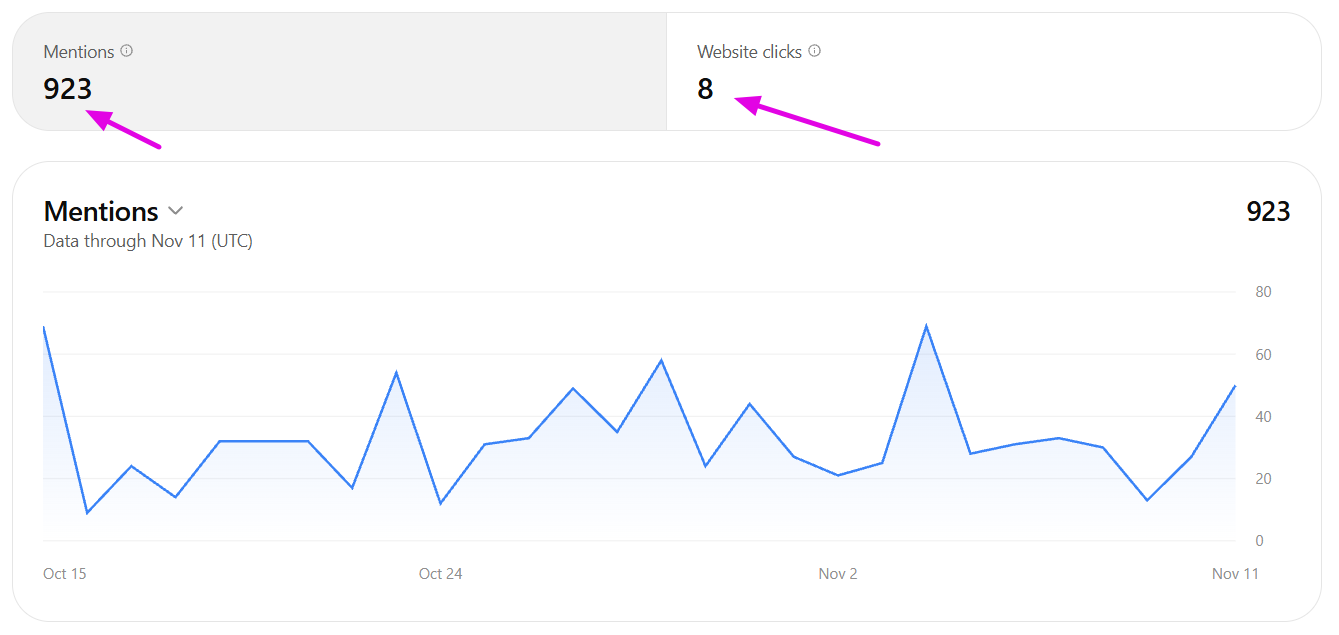
Think of it as Google Search Console for Google or Bing Webmaster Tools for Bing.
What will you need?
If your business doesn’t have a profile in ChatGPT yet, you’ll need:
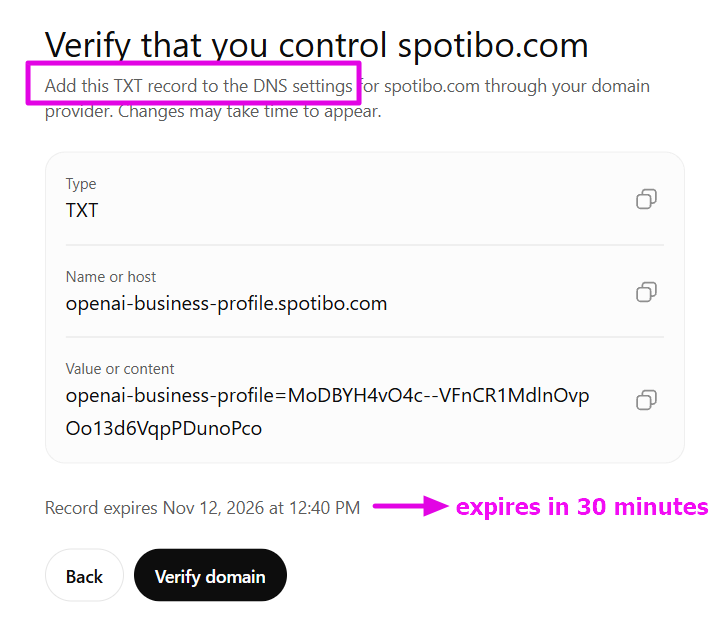
- Access to your domain’s DNS records: You’ll need to update them within 30 minutes of receiving the verification request. Make sure you have the necessary access ready, or someone who can make the changes for you (usually your website administrator or hosting provider).
- An identity document: A national ID card, driver’s license, or passport. This is required to verify your identity and confirm your authorization to manage the business.
- ChatGPT accounts for other users: If you want to share access with colleagues or partners, they’ll need to have existing ChatGPT accounts.
So, if you’re an external consultant or agency rather than someone working directly for the company, it’s best to let the client handle the initial registration. Unfortunately, there aren’t many ways to make this process easier for them at the moment.
How to set it up
Once you have everything ready, the registration itself only takes a few minutes.
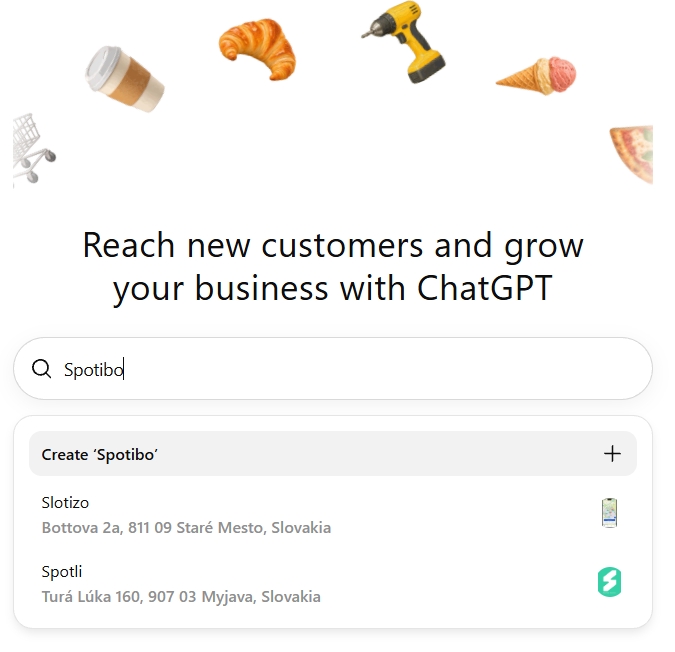
1. Find or add your business at ChatGPT Business Hub
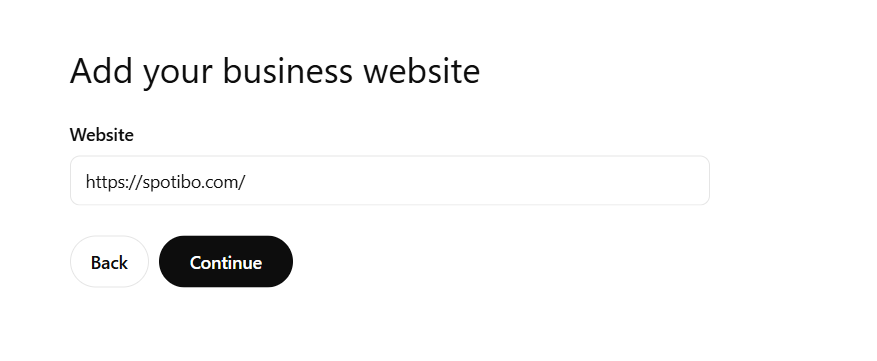
2. Add your website
3. Update your DNS records
Pay attention here: you only have 30 minutes to complete the DNS verification.
4. Verify your identity
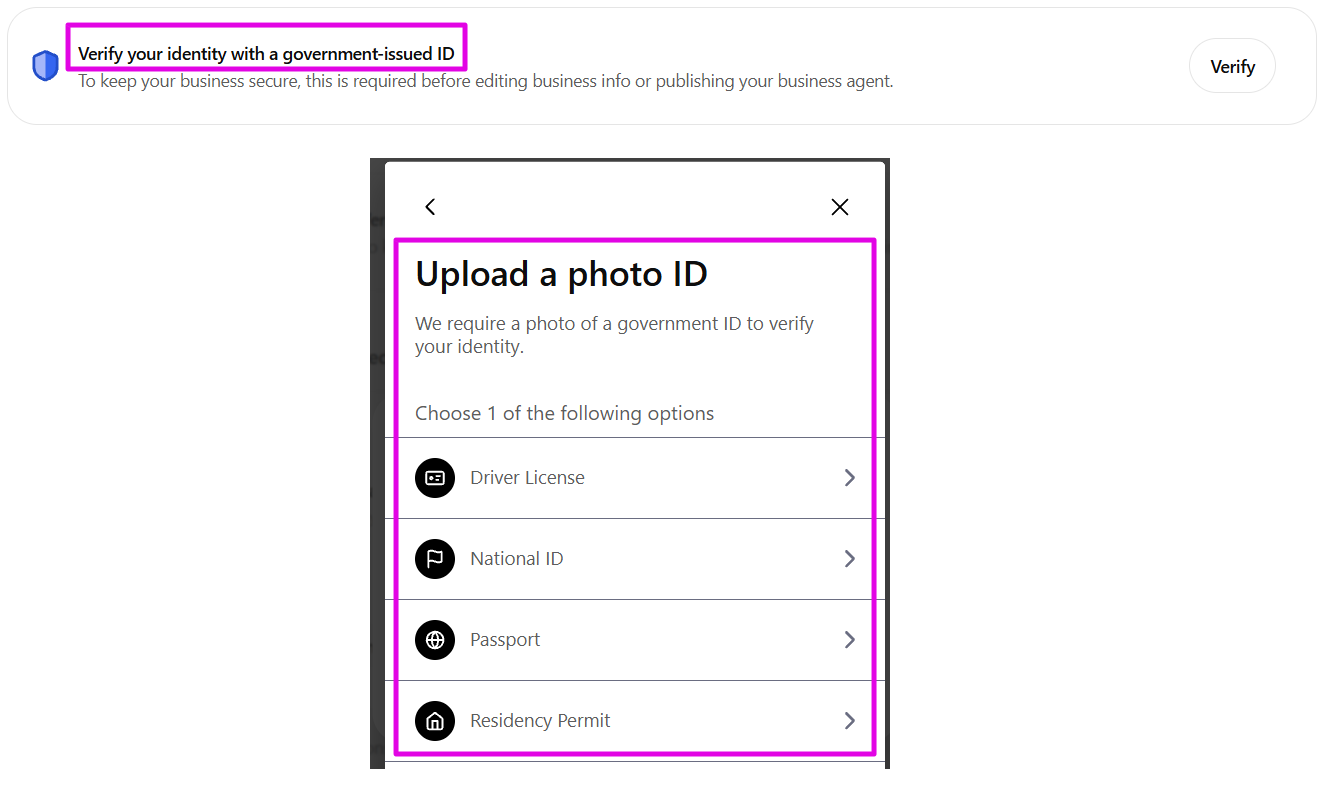
Once you’ve completed DNS verification, your business profile will become accessible. However, until your identity is verified, there isn’t much you can do.
You won’t even be able to see your mentions or website clicks yet.
Instead, you’ll see a verification prompt in your dashboard, followed by a request to take a photo of your identity document:
5. Share access if needed
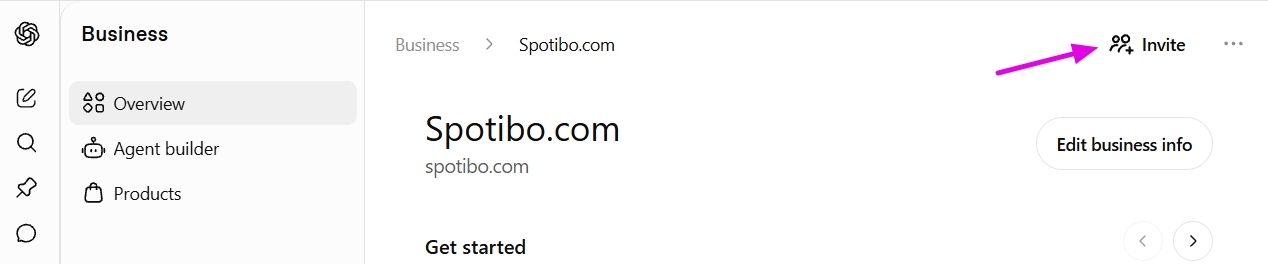
You’ll find an invitation button directly in the website’s header. However, you can only invite users who already have a ChatGPT account.
6. Wait for verification to be completed
In our experience, verification is pretty quick. It only took a few dozen minutes.
And that’s it! You’re all set.
Now you can sit back and admire how your visibility in ChatGPT is developing. Or shed a little tear and call in a team of AI SEO experts to help you out 🙂


